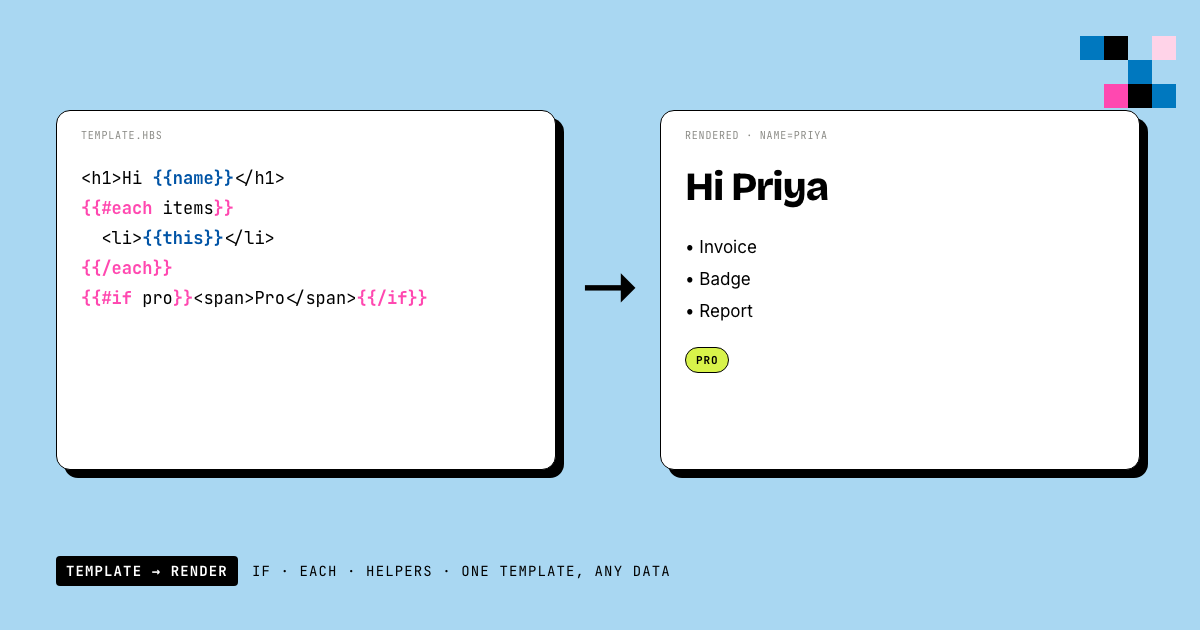
Updated August 10, 2026.
Quick answer: A Handlebars template is HTML (or any text) with {{placeholders}} that get filled from data at render time. Conditionals use {{#if}}...{{/if}}, loops use {{#each}}...{{/each}}, and formatting comes from helpers like {{currency price 'USD'}}. Core Handlebars ships almost no helpers (that's the #1 surprise), so real projects either register their own or use a hosted engine that includes a helper library. This guide covers the syntax that matters, the classic gotchas (there is no == in core Handlebars), and where Handlebars actually runs in 2026.
What is a Handlebars template?
Handlebars is a logic-light templating language: you write your markup once, mark the dynamic parts with double curly braces, and merge in data at render time. The same template plus different data produces different output, which is why Handlebars still powers email systems, document generation, and image-rendering pipelines long after front-end frameworks moved to JSX.
<div class="card">
  <h1>{{title}}</h1>
  <p>Hello, {{user.name}}!</p>
</div>
Rendered with { "title": "Welcome", "user": { "name": "Priya" } }, that produces a card that says "Hello, Priya!". Dot notation walks nested objects; unknown variables render as empty strings by default.
Two syntax details trip everyone up on day one:
- `
{{value}}` **HTML-escapes** its output. `{{{value}}}` (triple-stash) outputs raw HTML. If your rendered page shows literal `<b>` tags, this is why. - `
{{! comments }}` never reach the output, which is useful for annotating templates that non-developers will edit.
Handlebars if else: conditionals without a programming language
The #if block renders its body when the value is truthy, with an optional {{else}}:
{{#if isPremium}}
  <span class="badge badge-gold">Premium</span>
{{else}}
  <span class="badge">Free</span>
{{/if}}
Chains work with else if:
{{#if isEnterprise}}
  <p>Dedicated support</p>
{{else if isPremium}}
  <p>Priority support</p>
{{else}}
  <p>Community support</p>
{{/if}}
{{#unless}} is the inverse: it renders when the value is falsy:
{{#unless emailVerified}}
  <p class="warning">Please verify your email.</p>
{{/unless}}
Two gotchas worth knowing before they cost you an hour:
- **Handlebars truthiness is stricter than JavaScript's.** `false`, `undefined`, `null`, `""`, `0`, and `[]` (an empty array) are all falsy. That last one is a gift: `
{{#if items}}` correctly skips the block when the list is empty. - **There is no `==` in core Handlebars.** `
{{#if status == 'active'}}` is a syntax error. This is by design: Handlebars wants comparison logic in your code, not your template. Your options, in order of preference: pass a precomputed boolean (`isActive: true`) in your data; register a comparison helper (next section); or use an engine whose expression layer supports comparisons natively.
Handlebars each: loops, @index, and nested data
#each iterates arrays. Inside the block, this is the current item:
<ul>
  {{#each products}}
    <li>{{@index}}. {{this.name}} - {{this.price}}</li>
  {{/each}}
</ul>
The @-prefixed data variables cover the common loop bookkeeping:
| Variable | Meaning |
|---|---|
@index | Zero-based position in the array |
@first / @last | true on the first/last iteration |
@key | Property name when iterating an object |
An {{else}} inside #each renders when the array is empty, giving you an empty state without a separate conditional:
{{#each orders}}
  <tr><td>{{this.id}}</td><td>{{this.total}}</td></tr>
{{else}}
  <tr><td colspan="2">No orders yet.</td></tr>
{{/each}}
Nested loops nest naturally, and ../ reaches back up to the parent context: {{../currency}} inside an #each reads currency from the outer scope. If a deeply nested template stops finding your variables, a missing ../ is the usual culprit.
Handlebars helpers: the part core Handlebars doesn't ship
Here's the surprise that gets everyone: core Handlebars has almost no built-in helpers. No date formatting, no currency, no string casing, no math. {{price * 0.9}} is not valid Handlebars. The design philosophy is "templates hold structure, code holds logic", so you register helpers yourself:
Handlebars.registerHelper('currency', (amount, code) =>
  new Intl.NumberFormat('en-US', { style: 'currency', currency: code }).format(amount)
);

Handlebars.registerHelper('eq', (a, b) => a === b);<p>{{currency total 'USD'}}</p>
{{#if (eq status 'active')}}<span>Active</span>{{/if}}That (eq status 'active') form is a subexpression (helpers composing helpers) and it's the standard answer to the "no equality operator" problem.
Block helpers receive the template block itself and decide what to do with it; #if and #each are just block helpers that ship in the box. Most projects never need to write one, but knowing they exist demystifies every Handlebars codebase you'll read.
Hosted rendering engines ship the helper library for you. In Pictify, HTML templates (engine: "html") are standard Handlebars with the full helper library preloaded: string casing, number, currency, date, and array helpers:
<p>{{titleCase title}}</p>
<p>{{currency price 'USD'}}</p>
<p>{{date publishedAt 'MMM D, YYYY'}}</p>

{{#each items}}
  <li>{{@index}}. {{this.name}} - {{currency this.price 'USD'}}</li>
{{/each}}
Templates are compile-validated on save: an unclosed block or unknown helper fails with an HTTP 422 instead of a broken render at 2 a.m. And any {{variable}} you type is auto-registered as a template variable, so the authoring loop is: write Handlebars, save, render.
One difference from self-hosted Handlebars: hosted engines safelist their helpers, so you can't registerHelper your own. For comparisons, pass a precomputed boolean in your data, or use the safelisted boolean helpers in a subexpression, which works exactly like (eq ...) does:
{{#if (contains roles 'admin')}}Admin panel{{/if}}
{{#if (isEmpty items)}}Nothing here yet.{{/if}}(contains, isEmpty, isDefined, startsWith, and the other boolean helpers all compose this way. {{#each}} also carries a 5,000-iteration cap per render, so a runaway loop fails loudly instead of billing you.)
Partials in 30 seconds
Partials are reusable template fragments: register once, include anywhere:
Handlebars.registerPartial('footer', '<footer>{{companyName}} · {{year}}</footer>');{{> footer}}They inherit the current context by default, and you can pass overrides: {{> footer year=2026}}. Use them the moment you paste the same block into a second template.
Note: partials are a self-hosted feature. Hosted rendering engines that safelist template capabilities (Pictify included) disable {{> partial}} by design; reuse happens at the template level instead.
Handlebars vs Mustache vs Liquid vs EJS
| Handlebars | Mustache | Liquid | EJS | |
|---|---|---|---|---|
| Logic | Blocks + helpers | Minimal ("logic-less") | Tags + pipe-style filters | Full JavaScript |
| Custom helpers | Yes | No | Filters (host-defined) | Any JS |
| Safety (user-editable templates) | Good (no arbitrary code) | Best | Good (sandboxed by design) | Poor (it's eval with extra steps) |
| Typical home | Email, documents, image rendering | Config-driven snippets | Shopify, Jekyll | Node server pages |
The short version: Mustache is Handlebars' stricter ancestor: same braces, no helpers, no else if. Pick it when templates must stay dumb. Liquid is Shopify's dialect, closest to Handlebars in spirit, with pipe-style filters instead of helper calls. EJS embeds real JavaScript: maximally powerful and exactly why you should never let users edit EJS templates. Handlebars sits in the useful middle: enough structure for real documents, no arbitrary code execution, which is why rendering services can safely let customers write it.
Where Handlebars actually runs in 2026
Handlebars lost the web-app war to JSX and lives on where templates meet data-driven documents:
- Transactional email: most email infrastructure tooling still speaks Handlebars.
- **Document and image generation:** certificates, invoices, OG images, reports; design once, render per row. This is where we live: Pictify renders Handlebars HTML templates to PNG, JPG, WebP, multi-page PDF, GIF, and MP4 video, and its workflow runs email each rendered document to its recipient with per-row delivery status (the Render-to-Recipient pattern). A certificate template with `
{{name}}`, `{{course}}`, and `{{date completedAt 'MMM D, YYYY'}}` becomes 500 personalized, delivered certificates from one CSV. - Static site generators and legacy Ember: still out there, still fine.
If you're evaluating it for a new web app UI: don't. That ship sailed. For anything that renders documents from data, it remains the pragmatic standard.
Common Handlebars errors and their fixes
- **"Parse error ... expecting 'CLOSE_BLOCK'"**: an unclosed `
{{#if}}` or `{{#each}}`. Every `#` opener needs a matching `{{/...}}`. - **"Missing helper: xyz"**: you used `
{{xyz ...}}` and no helper named `xyz` is registered. Either register it or check the spelling against your engine's helper list. - **Escaped HTML showing as text**: you need `
{{{triple}}}` for raw HTML output. (In Pictify, raw-HTML output additionally requires `allowRawHtml: true` on that variable's definition, an XSS guard, since rendered templates often display user-supplied data.) thisis wrong inside#each: inside the loop, paths are relative to the item; use../to reach the outer scope.- **Blank output for a variable you're sure you passed**: check nesting (`
{{user.name}}` vs `{{name}}`), and in strict modes an unsupplied root variable fails the render outright (Pictify's `strictVariables: true` turns this into an explicit HTTP 422, which is the behaviour you want in production pipelines).
Handlebars FAQ
Is Handlebars still used in 2026?
Yes. Not for web-app UIs, but it's the de-facto standard for data-driven document rendering: transactional email, certificate/invoice/report generation, and image-rendering APIs. Its safety model (no arbitrary code in templates) is exactly why hosted services can let users author templates.
How do I write "if equals" in Handlebars?
Core Handlebars has no ==. Either pass a precomputed boolean in your data, or register a comparison helper and use a subexpression: {{#if (eq status 'active')}}...{{/if}}. In hosted engines with helper safelists (like Pictify), use the built-in boolean helpers instead: {{#if (contains roles 'admin')}}.
What's the difference between Handlebars and Mustache?
Handlebars is a superset of Mustache: it adds else if chains, helpers, subexpressions, partials with parameters, and @data variables like @index. Mustache stays deliberately logic-less. Any valid Mustache template is (almost always) valid Handlebars.
Can Handlebars do math or formatting?
Not in core: {{price * 0.9}} is invalid. Register helpers (multiply, currency) or use an engine that ships them; Pictify's Handlebars templates include number, currency, date, string, and array helpers out of the box.
Try it: the fastest way to experiment with Handlebars is a live renderer: Pictify's template editor compiles your Handlebars HTML on save and renders it to an image or PDF with one API call (or describe the design and the AI Template Maker writes the template for you). Free tier: 50 renders/month, no credit card. Full helper reference in the Expressions docs.
Related reading:
Ship documents, images and video from one template.
50 renders a month on the free tier. No card, no watermark.
Start free