The honest ranking nobody writes
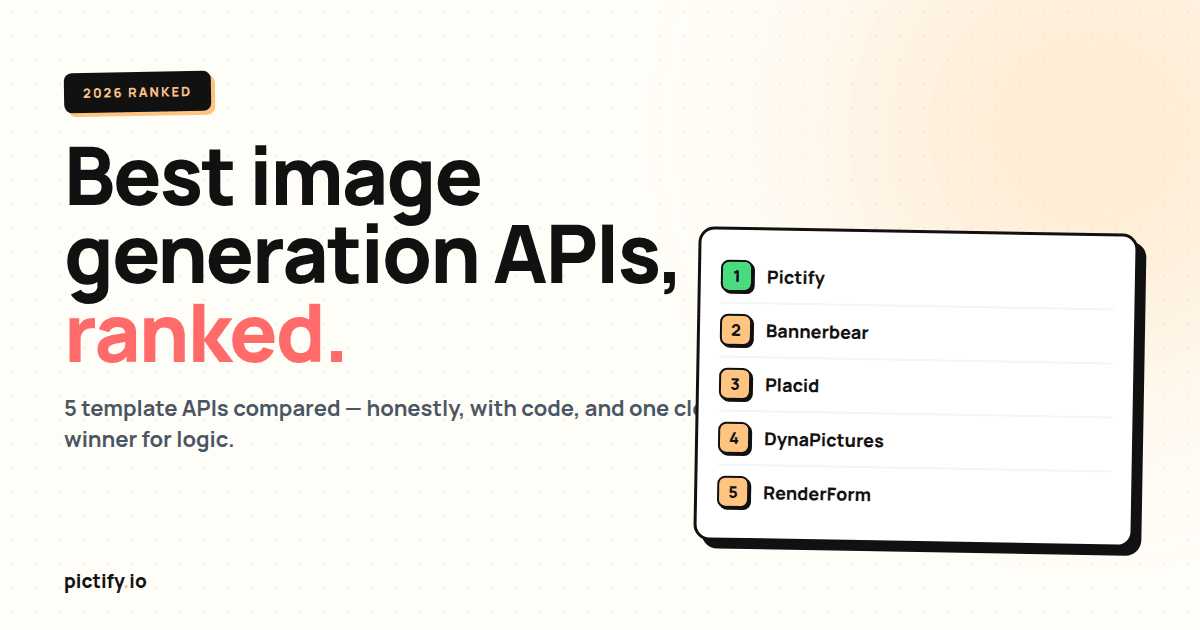
Search "best image generation API" and you get two kinds of articles: affiliate-link dumps that rank everything 5 stars, and vendor blog posts that put themselves first. This is the second kind: I work on Pictify, and I've ranked Pictify first. But the reasoning is honest, and if your use case is simpler than what Pictify was built for, we'll tell you to pick a different tool.
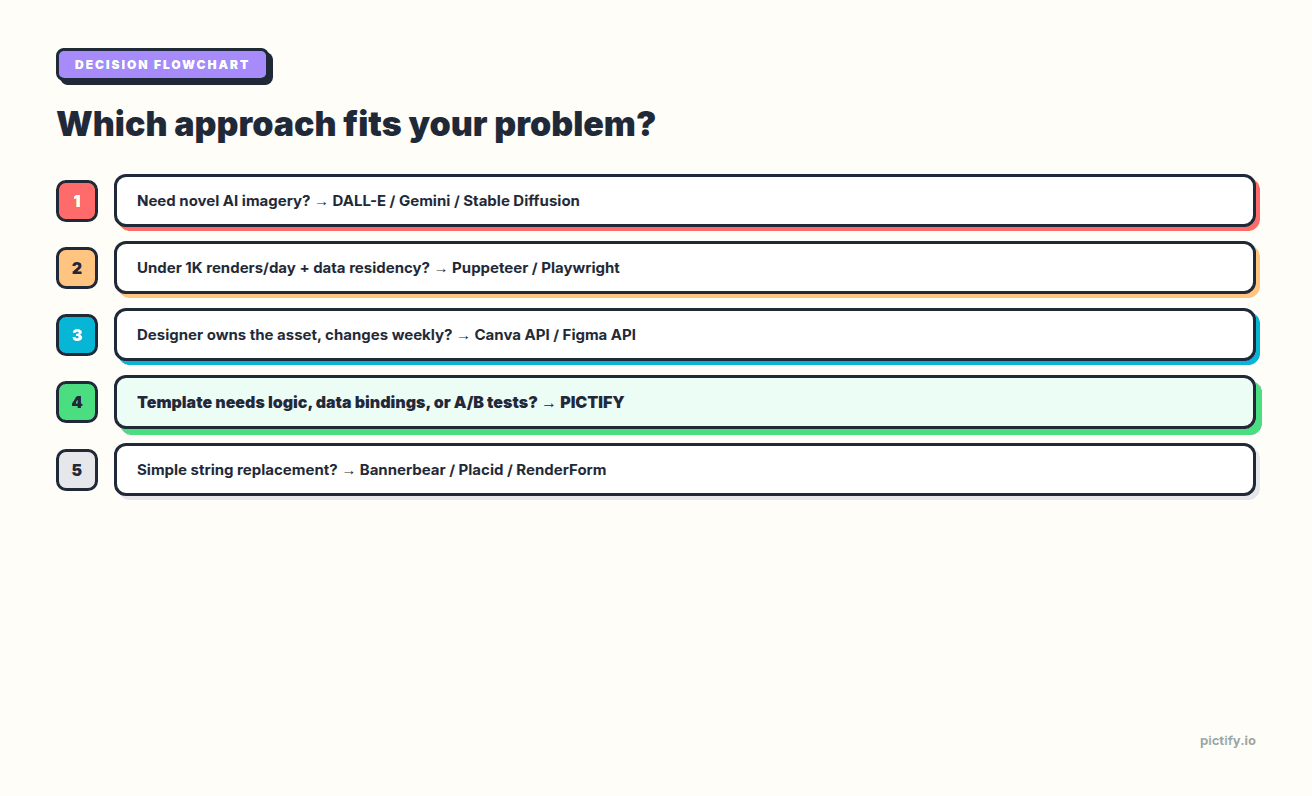
The honest question isn't "what's the best image generation API"; it's "what's the best image generation API for the kind of templates you need." Ten tools, three buckets, one flowchart at the end. Pricing numbers are from each vendor's official pricing page as of April 2026; we'll flag any we couldn't fully verify. For the wider context on this category, see our pillar guide on automated image generation.
Quick framing before the list
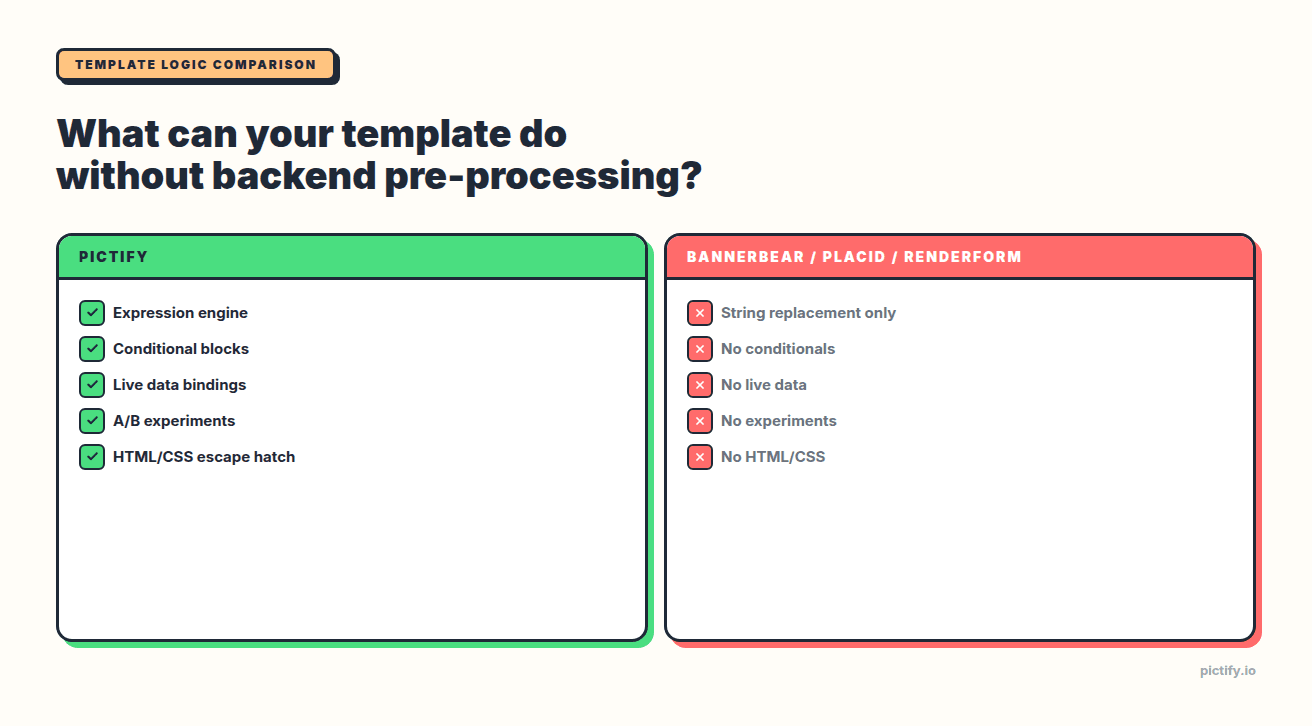
Image generation APIs split along one axis: how much logic your template can do without your backend pre-computing everything.
- Logic-heavy tools (Pictify, DynaPictures): template can format numbers, evaluate conditions, fetch live data. Your backend just passes raw records.
- String-replacement tools (Bannerbear, Placid, RenderForm, Abyssale, APITemplate.io): template substitutes pre-formatted strings. Your backend handles all the formatting and conditional logic.
- Raw HTML renderers (HTML/CSS to Image, @vercel/og): no template editor. You POST HTML/CSS, you get an image.
- Image CDNs with transforms (Cloudinary, Imgix): not really a template API. Composition is done via URL parameters, not layouts.
If your template needs $49.00 and you're fine sending "$49.00" from your backend, the string-replacement tools are commodities. Pick the cheapest Bannerbear alternative with a good SDK for your language.
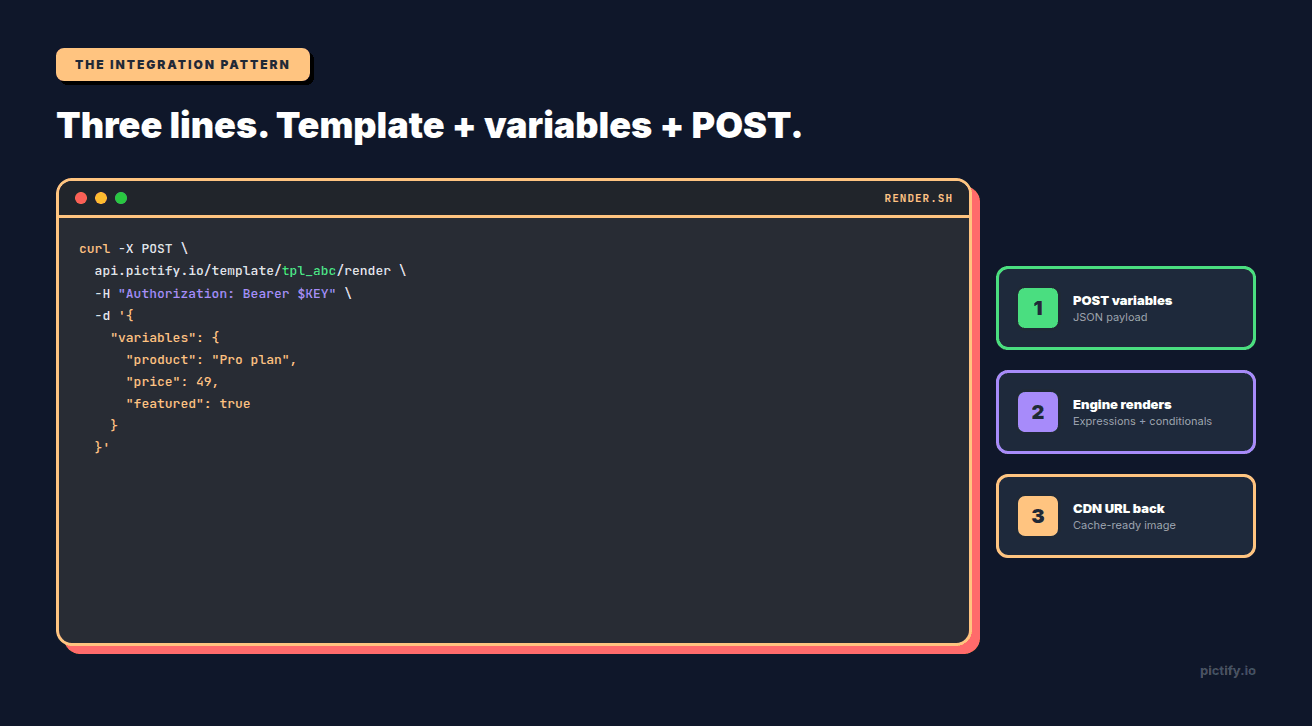
If your template needs {{ price * 0.9 | currency }} or {{ if featured }}...{{ endif }}, you need a logic-heavy tool.
Most teams don't realize which bucket they need until month three, after they've migrated once.
The ranking
1. Pictify
Best for: logic-heavy or data-driven templates. Teams that want the image generation API to do more than string replacement.
Pricing: free tier includes 50 free renders per month with no credit card. Paid tiers scale per-render and are generally cheaper than Bannerbear and Placid tier-for-tier at equivalent volumes.
Why it's #1: Pictify is the only template API with all four of these differentiators in one place:
- Real expression engine (
{{ price * 0.9 | currency }}, filters, conditionals) - Live data bindings (HTTP, webhooks, Google Sheets)
- Native A/B experiments
- HTML/CSS escape hatch for designs the editor can't express
Plus: multi-page PDF, GIF, visual canvas editor, agentic AI copilot, and bulk image generation via batch endpoints with webhook callbacks.
Weaknesses: newer than Bannerbear, so the ecosystem of community Zapier integrations and Airtable templates is smaller. No native video/MP4 generation yet; if your primary need is video, Bannerbear or Placid. For teams whose primary integration is "connect Zapier → render → post to Instagram," Bannerbear's ecosystem is more mature.
When to pick: any template that needs decisions inside it. Also when you want one API for PNG + JPEG + WebP + PDF + GIF without switching products.
2. Bannerbear
Best for: mature stack integrations (Zapier, Airtable, Make), no-code friendliness, broad SDK support, video generation.
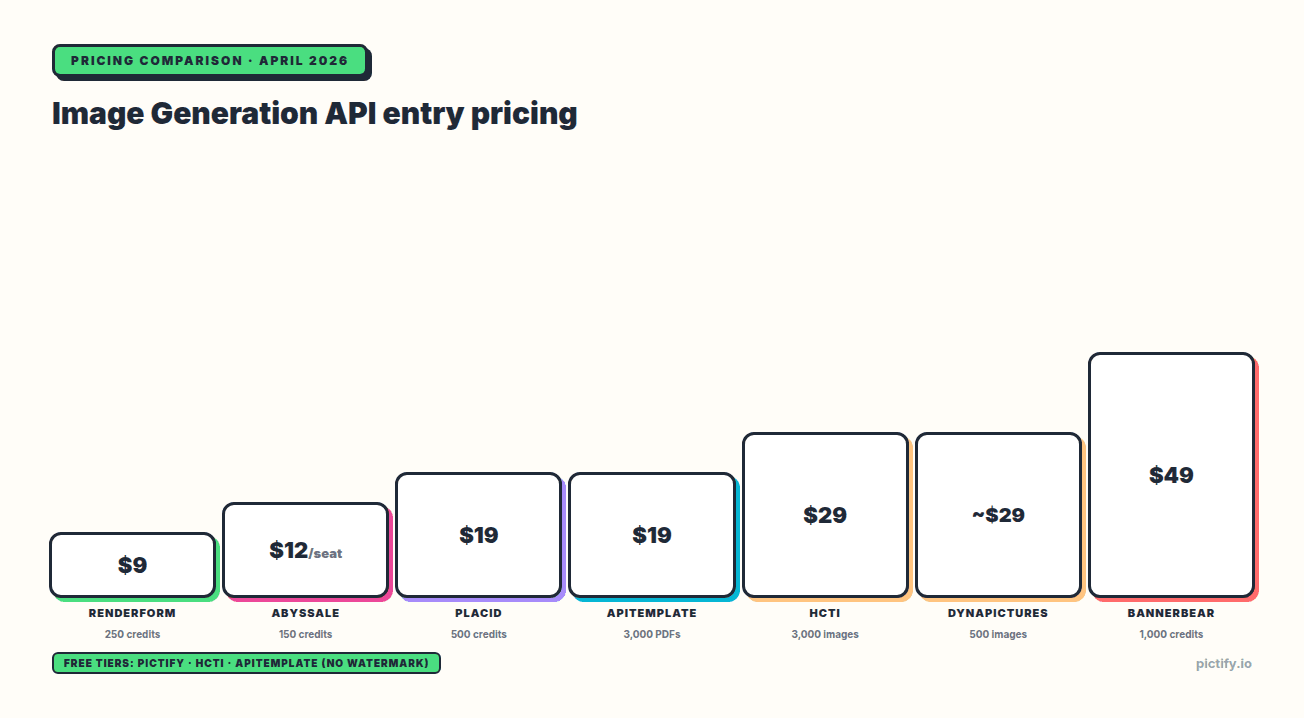
Pricing: 30 API credits trial (one-time, not recurring). Cheapest paid tier is $49/mo for 1,000 credits. The most expensive entry point in the category.
Why #2 and not #1: template language is plain string replacement. Any formatting logic (currency, dates, percentages), conditional rendering ("show X only if Y"), or live data fetching has to happen in your backend before the API call. That's fine for simple templates; it's ugly at scale.
Strengths: longest-running API in the category (since 2019), stable, broad official SDK coverage (Ruby, Node, Python, PHP), strong Zapier/Airtable integrations, Multi Image + Video + PDF APIs under one credit pool.
When to pick: your template is "headline + subtitle + image" and your backend already knows the values in final display form. Your team's primary workflow is Zapier-mediated, not code. Or you need video generation and Placid's 1080p ceiling is too low.
For a deeper comparison, see our Bannerbear alternatives for developers post.
3. Placid
Best for: design-polish-sensitive teams under 5K renders/month.
Pricing: free trial credits plus unlimited watermarked previews. Cheapest paid tier is $19/mo for 500 credits. Credits roll over up to 1× the monthly amount.
Why #3: Placid's visual editor is the best-looking in the category. Templates ship with good defaults and a Figma import that actually works. Unlimited free watermarked previews is genuinely useful for integration testing without burning credits. But pricing scales aggressively: at 10K+/month, the per-render cost gets steeper than Bannerbear or Pictify. And like Bannerbear, no template logic.
Strengths: editor UX, Figma import, PDF support, video (up to 1080p), pretty templates out of the box, single credit pool across images/PDFs/video.
When to pick: your designer has strong aesthetic standards, your volume is modest, and template logic isn't a requirement.
4. HTML/CSS to Image (HCTI)
Best for: teams that already generate HTML in their backend and want an image rendered from it.
Pricing: 50 images/month free, one template, no watermark. Cheapest paid tier is $29/mo for 3,000 images.
Why #4: HCTI is the purest raw-HTML renderer in the category. No template editor, no variables, no integrations: just POST HTML/CSS, get an image. That simplicity is a feature for the right use case. Full Chromium fidelity, Google Fonts built in, emoji support, and "crop to a CSS selector" for surgical screenshots.
Strengths: the best free tier in the category with no watermark, raw HTML/CSS input, MCP integration for AI agents.
Weaknesses: no template editor means no non-technical user can maintain designs. No binding layer: if your data is in a database, you're writing HTML generators in your backend. Not a commercial template API in the Bannerbear sense.
When to pick: you have no designer in the loop and your backend already produces the HTML. Minimalist teams, internal dashboards, docs tooling.
5. DynaPictures
Best for: Google Sheets as the source of truth.
Pricing: 14-day trial only (no permanent free tier). Cheapest paid tier starts around $29/mo for 500 images; the exact number couldn't be fully verified as their pricing page renders via JS.
Why #5: Google Sheets binding is a genuinely useful primitive if your content lives in Sheets. Non-technical teams can maintain rows; the API renders each row. But outside the Sheets workflow, DynaPictures is thinner than the top three: fewer output formats, no conditional logic beyond basic substitution.
Strengths: Sheets binding, six ingestion methods (API, forms, URL params, widgets, sheets, no-code), output formats include PPTX and CMYK PDF (print-ready), sub-200ms API response claim.
When to pick: your content team is Sheet-native and your templates are simple.
6. APITemplate.io
Best for: PDF-heavy workflows, WYSIWYG editing with custom CSS.
Pricing: 50 images or PDFs per month free, 3 templates, no watermark. Cheapest paid tier is $19/mo (annual) for 3,000 PDFs.
Why #6: Strong PDF editor with custom CSS and 1,000-font library (gated to higher tiers). Async/webhook processing for long-running jobs. BYO S3 bucket on enterprise plans. Unsplash/Pexels stock integration inside the editor is a nice touch.
Weaknesses: PDF and image quotas are billed as separate products; if you need both, you buy two plans. Template language is string replacement.
When to pick: PDF is your primary output and you want a polished editor.
7. RenderForm
Best for: price-sensitive teams, the absolute cheapest entry point.
Pricing: 50 free renders with watermark. Cheapest paid tier is $9/mo for 250 credits, the lowest paid entry in the category.
Why #7: functionally similar to Bannerbear but with a smaller ecosystem. Positioning is "image automation without subscription." Image request caching is a nice technical detail: idempotent re-renders are free. AI image generation via GPT Image inline with templates.
Strengths: cheapest pricing at entry, GIF support, one-off credit purchases, image caching.
When to pick: Bannerbear's pricing doesn't work for your volume, and Zapier ecosystem depth doesn't matter.
8. Abyssale
Best for: multi-platform social media teams with Figma workflows.
Pricing: 14-day trial, 30 credits, 3 downloadable assets. Cheapest paid tier is $12/seat/mo annual for 150 credits plus 30 AI credits.
Why #8: Native Figma plugin and Photoshop plugin are unique in this list. CMYK multipage PDF export (print-ready). HTML5 banner export for ad-tech. 45-language AI translation.
Weaknesses: per-seat pricing scales poorly for programmatic use: if you're a backend engineer, you're paying per seat for something being called from code. Trial-only free tier.
When to pick: your designer lives in Figma and you need the same design rendered across many dimensions and languages.
9. @vercel/og (Satori)
Best for: simple OG images in Next.js/Vercel apps.
Pricing: free with any Vercel plan. OG endpoint usage counts against Vercel Function invocations.
Why #9: JSX-native via Satori, CDN-cached at the edge, typically under 100ms for a 1200×630 image. Not a template system; you write JSX for every layout.
Weaknesses: 500KB bundle limit, flexbox only (no grid), no <canvas>, no SVG filters, no external images unless fetched first, Vercel-only. For anything beyond simple OG images it's not practical.
When to pick: you're deploying to Vercel, your OG images are simple, and you want zero external dependencies.
10. Cloudinary / Imgix
Best for: teams already using an image CDN who need URL-based transformations.
Pricing (Cloudinary): free 25 credits/month (1 credit ≈ 1,000 transformations OR 1 GB storage OR 1 GB bandwidth). Cheapest paid: $89/mo for 225 credits.
Pricing (Imgix): 30-day trial, 100 credits. Cheapest paid: $25/mo for 100 credits, 50 GB media, 100 GB bandwidth.
Why #10: these aren't really image generation APIs in the template sense. They're transform engines: existing image URL in, transformed image URL out. f_auto/q_auto on Cloudinary is genuinely best-in-class. Mature AI suite (background removal, generative fill, auto-tagging). But composing a multi-layer banner via chained URL transforms is painful vs. a true template engine.
When to pick: your primary problem is serving existing images at the right size and format. Don't use for "draw a banner from scratch" use cases.
The feature matrix
| Feature | Pictify | Bannerbear | Placid | DynaPictures | RenderForm | HCTI | APITemplate | Abyssale |
|---|---|---|---|---|---|---|---|---|
| Expression engine | Full | None | None | Basic | None | N/A (raw HTML) | None | None |
| Conditional blocks | Yes | No | No | No | No | N/A | No | No |
| Live data bindings | Yes (HTTP/webhook) | No | No | Sheets | No | No | No | No |
| A/B experiments | Native | No | No | No | No | No | No | Limited |
| HTML/CSS escape hatch | Yes | No | No | No | No | Yes (only) | Custom CSS | No |
| Multi-page PDF | Yes | Partial | Yes | No | Yes | No | Yes | Yes |
| Video output | No | Yes | Yes (1080p) | No | No | No | No | No |
| Free tier (permanent, no watermark) | 50/mo | Trial only | Watermarked previews | Trial only | Watermarked | 50/mo | 50/mo | Trial only |
| Cheapest paid | Generous | $49/mo | $19/mo | ~$29/mo | $9/mo | $29/mo | $19/mo | $12/seat |
| AI copilot | Yes (agentic) | AI backgrounds | No | No | GPT Image | No | No | 45-lang translate |
A flowchart you can actually use
Best image generation API FAQ
What's the cheapest image generation API?
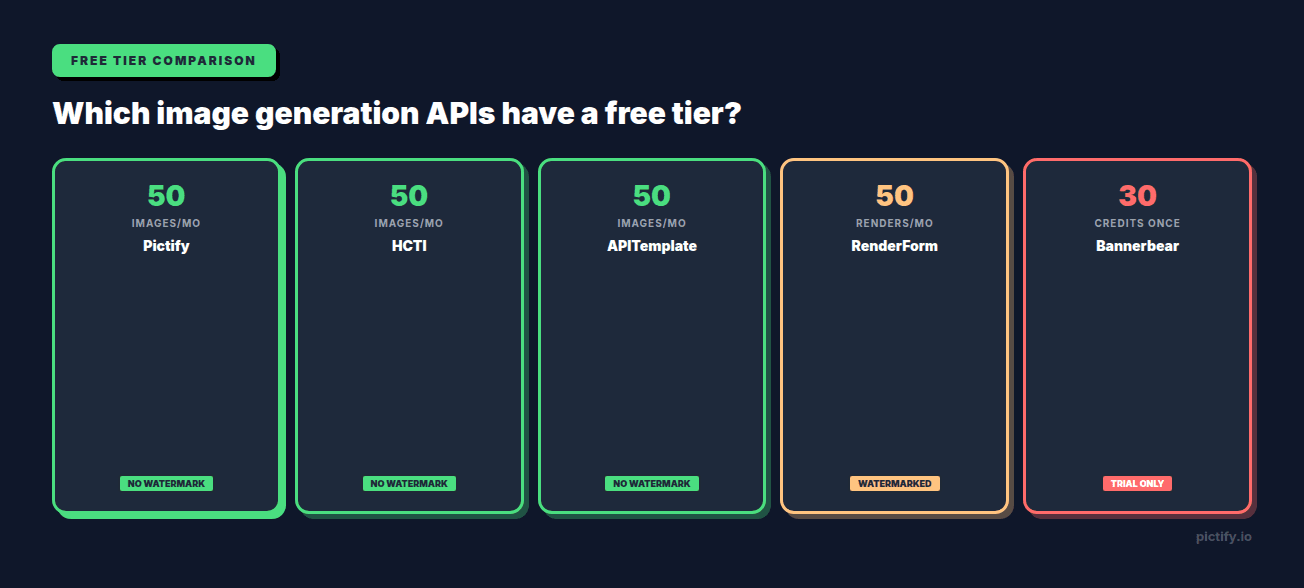
RenderForm at $9/mo for 250 credits is the cheapest paid entry. For a permanent free tier with no watermark, HTML/CSS to Image and APITemplate.io both offer 50 renders/month. Pictify's free tier offers 50 renders/month with no watermark and no credit card. The cheapest image generation API depends on whether you need a paid plan at all; for validation and hobby projects, free tiers are generous enough.
Is there a free image generation API?
Yes. Several vendors offer permanent free tiers:
- Pictify: 50 renders/month, no credit card, no watermark
- HTML/CSS to Image: 50 images/month, one template, no watermark
- APITemplate.io: 50 images or PDFs/month, three templates, no watermark
- RenderForm: 50 renders/month, watermarked
- @vercel/og: fully free if you're on Vercel (counts against function invocations)
Bannerbear, Placid, DynaPictures, and Abyssale are trial-only, not a recurring free tier. If "free" is your primary constraint, Pictify, HCTI, or APITemplate.io are the practical picks.
What's the best AI image generation API?
AI image generation is a different category from template-based image generation. For truly novel imagery from text prompts: DALL-E 3 (OpenAI), GPT-image-1 (OpenAI), Gemini Imagen (Google), and Stable Diffusion via Replicate or RunPod are the main options. Pricing ranges from $0.02–$0.08 per image. If you want AI-assisted image generation inside a template workflow (AI backgrounds, AI translation, prompt-to-layout), Pictify's agentic copilot, Bannerbear's AI background feature, and RenderForm's GPT Image inline mode are the three to evaluate.
What's the best image generation API for OG images specifically?
For high volume on a Vercel-hosted site, @vercel/og is hard to beat on price (free) and latency (sub-100ms at the edge). For anything with more than simple flexbox layouts (brand variants, conditional badges, live data reflected in the image), Pictify's automate OG images pattern is the standard approach. For existing blog posts you want to bulk-render OG images for, Pictify's bulk image generation endpoint is built for that workflow.
Can I self-host an image generation API?
Yes, via Puppeteer or Playwright. You run Chromium in your own infrastructure, POST HTML, get a screenshot. Free at the library level, but you own uptime, cold starts, memory leaks, Chrome upgrades, concurrency, font caching, and security sandboxing. Managed Puppeteer wrappers (Browserless, ScrapingBee) start around $50/mo for ~10K renders. For most teams, a vendor API is cheaper than DIY once you account for ops cost.
Which image generation API has the best SDK support?
Bannerbear has the broadest out-of-the-box SDK coverage: Ruby, Node, Python, PHP, Go. Pictify, Placid, RenderForm, and HCTI all ship Node.js, Python, and cURL examples. For Ruby, PHP, or Go specifically, Bannerbear is still the easiest drop-in. Every tool in the list supports raw HTTP, so any language can integrate; the SDK is a convenience layer, not a blocker.
What actually matters in production
A year from now, the ranking above will matter less than these three things:
1. Does the template language fit your actual design? Prototype your real template in each tool before committing. The demo page will always look great. Build your actual use case, including the one conditional you're 60% sure you'll need.
2. Does the vendor ship breaking changes? Ask the sales team for the last major API change they shipped and how much notice. "We never break the API" is a lie; "we shipped a breaking change in 2023 with 6 months of dual-write migration support" is an honest answer.
3. Does the pricing match your usage pattern? If your renders are bursty (campaign launches with 50K images, then quiet for weeks), prepaid-credit pricing (RenderForm) may beat per-month subscriptions. If your renders are steady, per-render pricing (Pictify, Bannerbear) is simpler to budget.
Starting points
- Try Pictify: free tier, no credit card. pictify.io. For the API specifically, see our image generation API page.
- Try Bannerbear: 30-credit trial. bannerbear.com.
- Try Placid: free tier plus unlimited watermarked previews. placid.app.
- Try DynaPictures: 14-day trial. dynapictures.com.
- Try RenderForm: 50 free renders. renderform.io.
- Try HTML/CSS to Image: 50 free images/month, no watermark. htmlcsstoimage.com.
- Try APITemplate.io: 50 free images/month, no watermark. apitemplate.io.
If your use case has any of the markers above (conditional logic, live data, experiments, multi-format output), start with Pictify. If it doesn't, start with whichever one your ecosystem is aligned with.
Related reading: