Why automated image generation matters now
Ten years ago, "automated image generation" meant a designer with a Figma shortcut and fifty minutes. Today it means an HTTP endpoint, a template, and a JSON payload, and the team that used to be the bottleneck is now the one building the templates. We've written a full pillar guide on automated image generation if you want the programmable-image-engine framing in full; this post focuses on the engineering decision.
This guide is for the engineer who just got asked to "make every user's dashboard export look personalized," or "render OG images for 40,000 existing blog posts overnight," or "generate a certificate PDF whenever someone completes a course." If that's you, you're one of three people:
- You've googled Bannerbear, Placid, DynaPictures, and RenderForm and can't tell them apart.
- You're wondering if Puppeteer is good enough.
- You already picked a tool and the template-editor UX is fighting you.
By the end of this post, you'll know exactly which category of tool fits your problem, what the tradeoffs are, and how to set it up.
What "automated image generation" actually means
Automated image generation is producing images programmatically from templates and structured data. A template defines the visual layout with placeholders; a rendering service fills the placeholders with your data and returns an image. The underlying model is always the same:
templates × variables × rendering API = automated images
Every term you've heard in this space is a lens on that equation:
- Programmatic image generation: emphasizes "an API does this." Developer framing. Often shortened to just "image generation API."
- Dynamic image generation: images that change based on request context (user, product, time).
- Bulk image generation: batch workflows: one template × N rows of data = N images.
- Personalized images at scale: marketing framing. Same template, per-user variants.
- Image automation: umbrella term. Any workflow that produces images without a human designing each one.
- Generate images from data: spreadsheet/database workflows where the data is the input and the image is the output.
All roads lead back to the same equation.
Four approaches, honestly compared
Most "image generator" articles skip the part where they tell you which tool is wrong for your job. Here's the tradeoff matrix.
1. DIY headless browser (Puppeteer, Playwright)
Spin up Chromium in your own infrastructure, render HTML, screenshot the result. Full control, zero vendor lock-in, and approximately a thousand ways to get paged at 3 a.m.
Right for: teams already running browser automation for scraping or E2E testing. Data-residency constraints. Tiny volumes (under 1,000 renders/day) where the ops overhead of a third-party API isn't worth it.
Wrong for: anyone with growing volume. A single Chromium instance uses 500MB–1GB of RAM under load. At 10 requests per second you need a pool. At 100 RPS you need a fleet, a queue, warm-up logic, font management, retry budgets, and the poor soul who gets paged when the pool deadlocks. You'll end up rebuilding a worse version of one of the template APIs below.
The classic mistake here: someone prototypes Puppeteer on their laptop, it works, they ship it, and six months later they're managing 400MB Docker images and a Redis queue for something that should have been one HTTP call to a vendor.
2. Design tools with an API layer (Canva, Figma)
Canva shipped a Connect API in 2024. Figma's had a REST API for years. Both expose programmatic rendering on top of a product built for human designers.
Right for: teams where a non-technical designer already owns the asset and the design changes weekly but the data is stable. The dashboard screenshot updated for a quarterly report. Hero images for landing pages where a human picks the composition.
Wrong for: high-volume use cases where per-render cost and rate limits make the math unpleasant. Canva's pricing is optimized for seats plus human usage, not machine-issued renders. Figma's export API is rate-limited per file.
3. AI image generators (DALL-E, GPT-image-1, Gemini, Stable Diffusion)
Generative models that produce novel images from text prompts. Great at novelty, catastrophic at brand consistency. Every render is unique, including the parts you wanted consistent.
Right for: creative exploration, one-off hero images, novel illustrations, non-deterministic content.
Wrong for: "render the customer's product card with their logo and current price." You need determinism, not creativity. Your designer's color palette has three shades of orange in it; the AI will invent a fourth.
4. Template-based rendering APIs (Pictify, Bannerbear, Placid, RenderForm, DynaPictures)
Design a template once, either visually or in HTML/CSS. Declare variables. POST data. Get an image. This is the category most production workloads land in.
Where they differ:
- Template logic capacity: can the template do math, format currencies, hide elements conditionally, or does everything have to be pre-formatted by your backend?
- Data bindings: can templates fetch variables from an HTTP endpoint at render time, or do you POST them every request?
- Experiments: is A/B testing a first-class feature or something you bolt on?
- Output formats: PNG/JPEG/WebP at minimum; ideally also multi-page PDF and GIF from the same template.
- Editor ergonomics: visual canvas, HTML/CSS, or both?
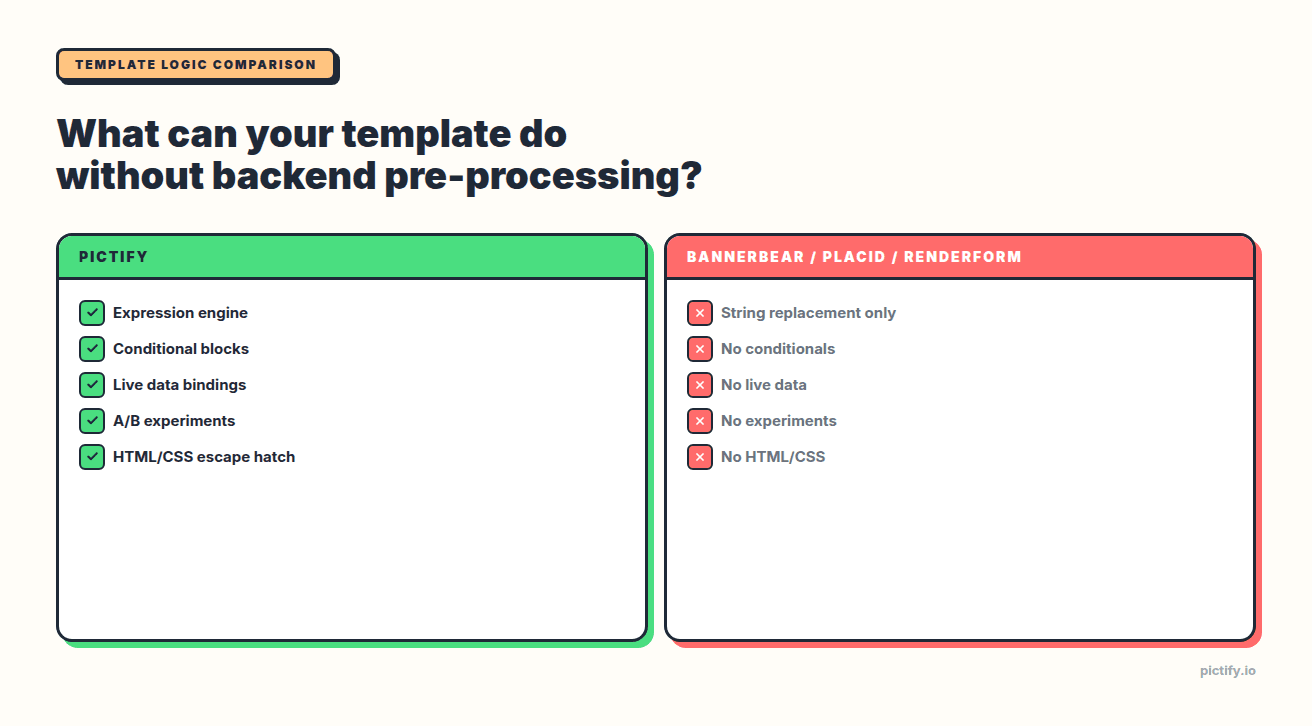
The feature matrix, as of April 2026:
| Feature | Pictify | Bannerbear | Placid | RenderForm | DynaPictures |
|---|---|---|---|---|---|
| Expression engine | Full | None | None | None | Basic |
| Conditional blocks | Yes | No | No | No | No |
| Live data bindings | Yes (HTTP/webhook) | No | No | No | Google Sheets only |
| A/B experiments | Native | No | No | No | No |
| Multi-page PDF | Yes | Partial | Yes | Yes | No |
| HTML/CSS escape hatch | Yes | No | No | No | No |
Most of the "I tried tool X and its template language is too limited" stories come down to rows 1–4 of that table.
The three-line integration
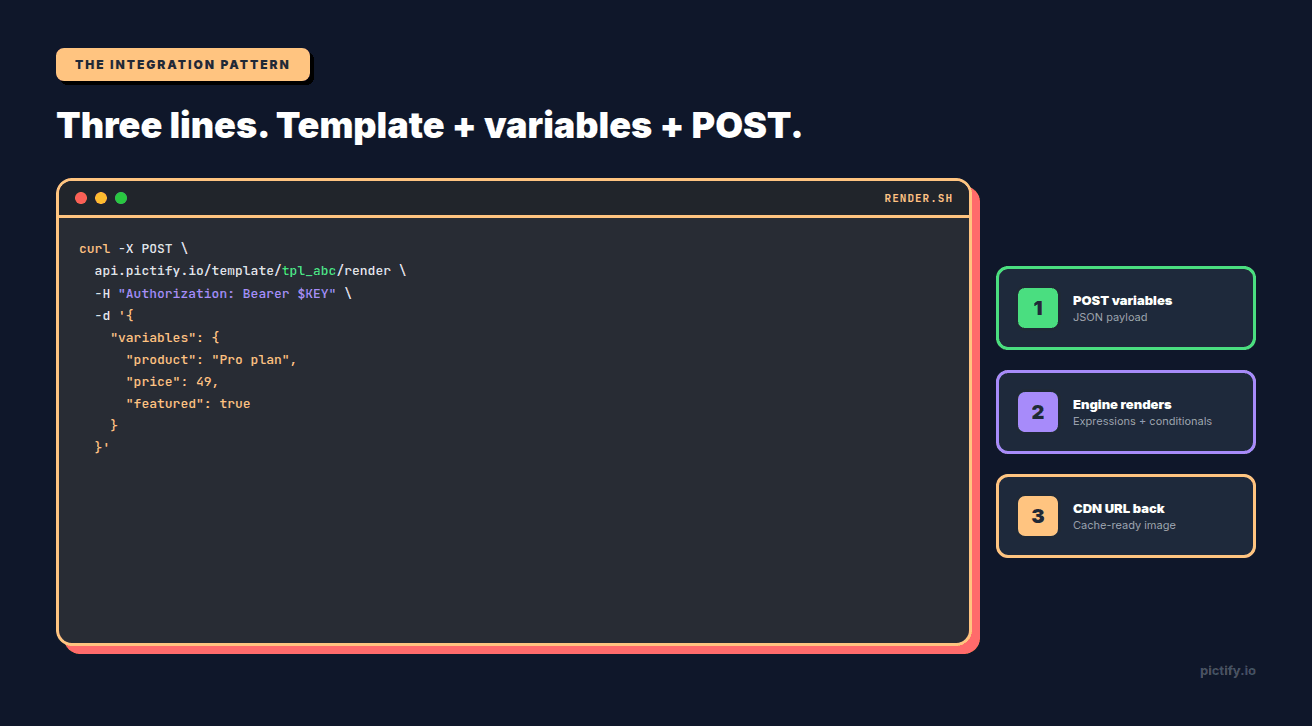
Here's the Pictify version. Every template-based API looks roughly like this; the details differ.
The response is a JSON object with a CDN-cached URL. Drop the URL into an <img> tag, an og:image meta, an email template, a Slack post. Subsequent calls with identical variables return from cache in under 100ms.
The interesting part is inside the template. In Pictify the price field above can be rendered like this:
{{ price | currency }} becomes $49.00. The conditional block shows the "New" badge only when featured is true. In Bannerbear, both of those live in your application code: you compute $49.00 on the backend and pass it as a string. In Pictify, they live in the template where your designer can see and adjust them.
This is what most of the category-3 ("AI image generators won't do this") and category-1 ("Puppeteer is fine") teams eventually migrate toward. The logic belongs near the design, not scattered through your application's formatting layer.
Who's actually using this in production
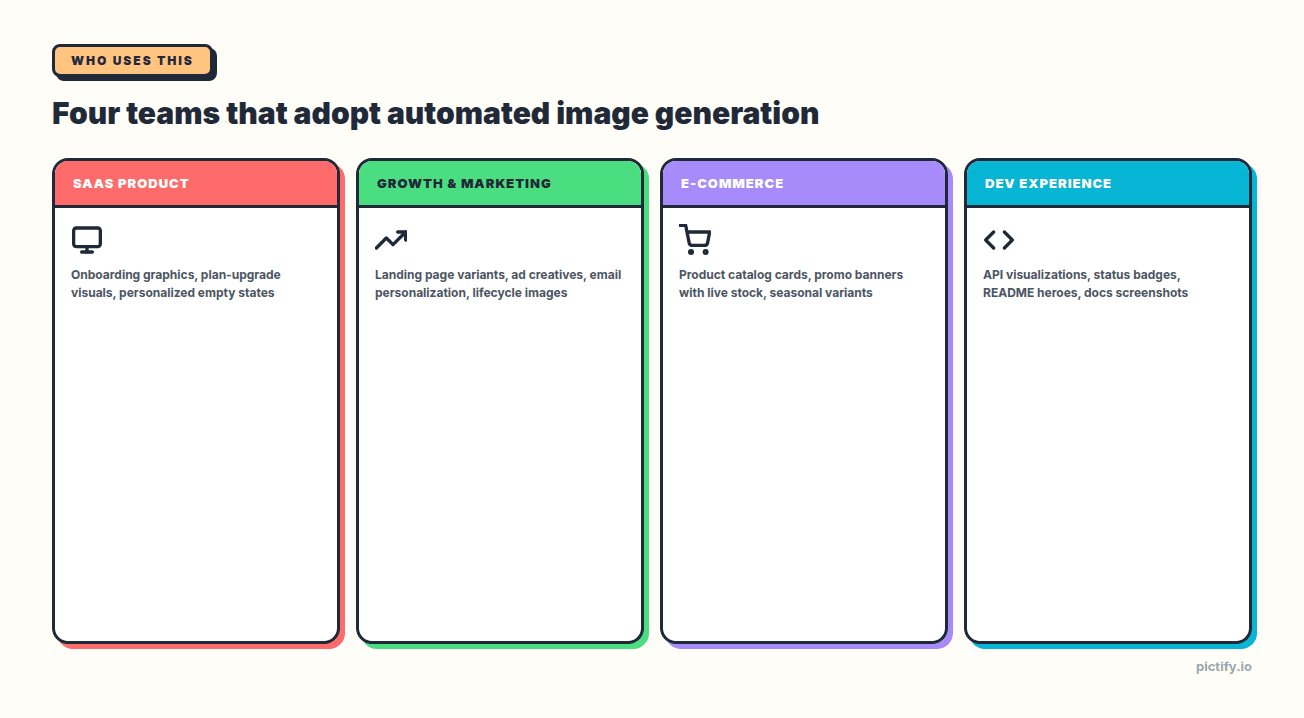
Four archetypes adopt automated image generation, each with a different shape of pain:
SaaS product teams. Personalized onboarding graphics, plan-upgrade visuals, in-app empty states that reference the user's actual data, feature-flag-gated UI screenshots for release notes. The win: every user-facing image reflects the user, without shipping a design-asset pipeline.
Growth and marketing ops. Landing-page variants, ad creatives at campaign scale, email personalization keyed off cohort and behavior, evergreen lifecycle images. The win: stop blocking on the design queue; ship experiments on image copy directly from the growth platform.
E-commerce. Product-catalog images rendered from inventory data, promotional banners with live stock counts, seasonal variants driven by campaign tags, OG images that always reflect the current price. The win: the storefront doesn't lie; images stay in sync with reality.
Social media teams. Auto-render branded social cards whenever a blog post, customer story, or product update ships. One template, variants per platform, zero manual design work per piece of content.
Developer-experience teams. API-response visualizations, status-page badges, per-repo README hero images, docs screenshots that refresh when the API changes. The win: documentation that proves the API works, visually, without a human taking screenshots.
How to pick a tool
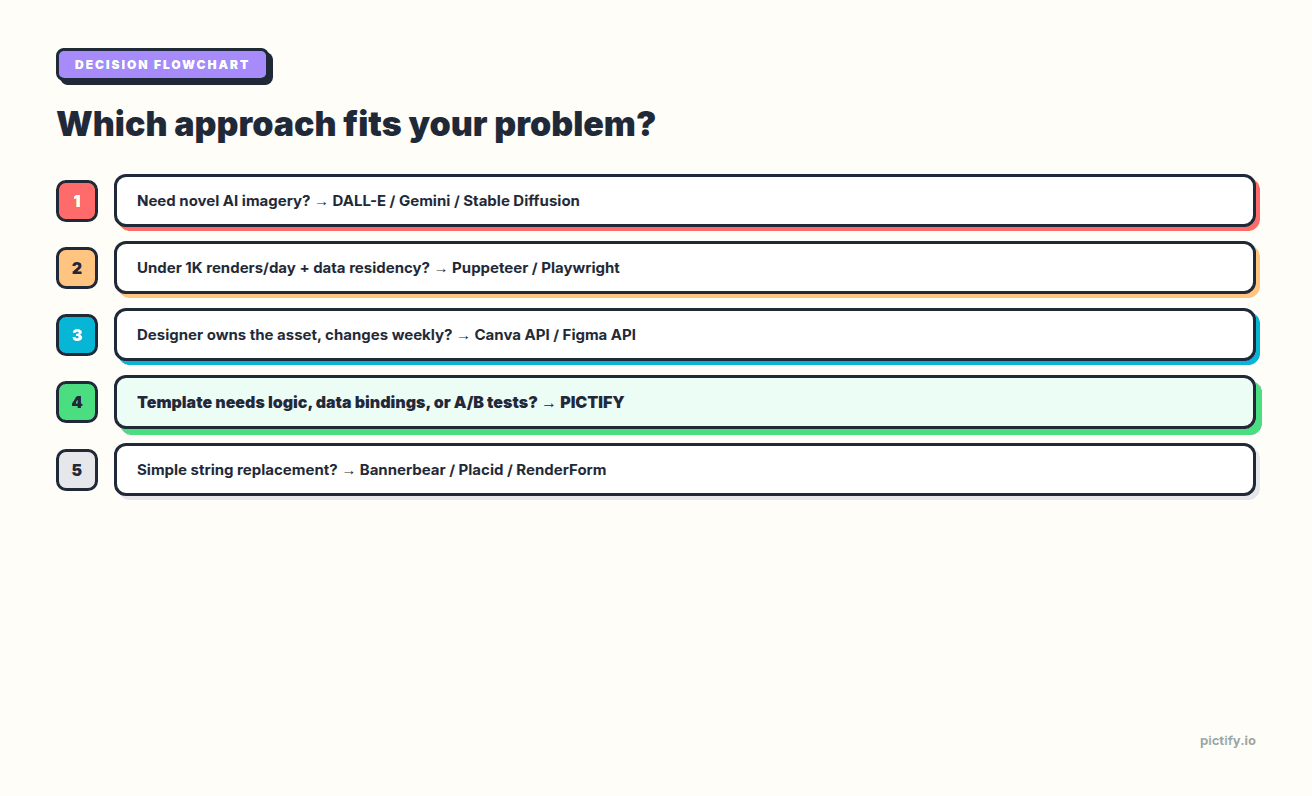
Flowchart-style:
- Do you need truly novel, prompt-generated imagery? → AI image generator (DALL-E / Gemini). Stop reading.
- Do you have under 1,000 renders/day and strict data-residency requirements? → Puppeteer/Playwright in your infra. Prepare for ops work.
- Does a non-technical designer own the asset and it changes weekly? → Canva API or Figma API. Accept the rate limits.
- Do your templates need conditional logic, expressions, live data, or A/B tests? → Pictify. It's the only template API that ships these.
- Otherwise → Bannerbear, Placid, or RenderForm. They're interchangeable for simple cases; pick on price and SDK support for your language.
The "simple cases" threshold is: your backend already knows every value, formats it correctly, and you just need to drop strings into a layout. If that's you, the template API category is commodity; pick any of them.
The moment your template needs to do anything with the data (format a number, show a badge conditionally, swap images based on a flag, pull a value from a URL), you're in Pictify's lane.
Common implementation patterns
Three patterns cover ~90% of production usage:
Pattern 1: Render on demand. User requests a page. Your backend POSTs a template render. The image URL goes into the response. Good for: OG images, user avatars, personalized thumbnails. Caching: every Pictify render URL is CDN-cached, so a second request with identical variables is free.
Pattern 2: Pre-render at write time. A user creates a blog post. Your backend renders the OG image on save and stores the URL in the post record. Good for: static content sites, anything where the image shouldn't change until the underlying content changes. Caching: URL lives forever; re-render only when content edits.
Pattern 3: Batch render a cohort. A new feature ships. You want to render 40,000 personalized announcement images. POST them as a batch job; a webhook fires when done; your email platform pulls the URLs. Good for: lifecycle marketing, event-triggered campaigns, bulk catalog refreshes.
Every tool in the template API category supports pattern 1. Most support pattern 3. Pattern 2 is just pattern 1 with aggressive caching.
What to check before committing to a vendor
Five questions, in order:
- Does the template language do what my design actually needs? If your template has any logic, test it with a real example before you pick. The demo page will always show the happy case; ask for the template code.
- What happens when a font doesn't load? Fonts are the #1 source of "why does this render look different than the editor" bugs. Test with Google Fonts your brand actually uses.
- How do you handle image assets that are slow to fetch? External images in a template are a render-latency tax. If your avatar URL is a CDN 300ms away, your 800ms render is actually 1100ms.
- Is batch rendering first-class or an afterthought? If your usage is episodic (campaign launches, monthly reports), batch performance matters more than per-render latency.
- What's the rollback story if the vendor's API changes? Most template APIs ship backward-compatible changes; a few don't. Ask.
Frequently asked questions
What is automated image generation?
Automated image generation (also called programmatic image generation or image automation) is producing images programmatically from templates and structured data. Instead of a designer exporting PNGs, a rendering API fills placeholders in a template with your data and returns an image URL in under a second.
What's the difference between automated image generation and AI image generation?
AI image generators like DALL-E, GPT-image-1, and Gemini create novel images from text prompts; every render is unique. Automated image generation renders a known design with your data filled in; every render is deterministic and on-brand. Different tools for different jobs.
What's the best image generation API for developers?
It depends on whether your template needs logic. If it does (conditional blocks, formatting, live data, experiments), Pictify is the only template API that ships them. If your template is pure string replacement, Bannerbear, Placid, and RenderForm are commodity-interchangeable. See our full Bannerbear alternatives guide for the side-by-side.
Can I generate images from a spreadsheet or database?
Yes. This is what bulk image generation and generate images from data workflows were built for. POST an array of variable objects (one per row) to a batch endpoint, get back N CDN-cached image URLs. DynaPictures has native Google Sheets bindings; Pictify has HTTP/webhook bindings that work with any backing store.
How much does automated image generation cost at scale?
Per-render pricing from template APIs is typically $0.001–$0.01 depending on volume tier. For a million-render month, that's ~$1,000–$10,000, almost always cheaper than running your own Chromium fleet when you account for ops, cold starts, and on-call burden. Free tiers from Pictify, Placid, and DynaPictures are large enough to validate an integration without paying.
Is there a free image generation API?
Yes. Pictify's free tier includes 50 free renders per month with no credit card. Placid and DynaPictures have free plans too. @vercel/og is fully free but Vercel-only and limited to simple OG images. For production volumes beyond the free tier, expect to pay, but the starting point is free.
Closing
Automated image generation is a category that's quietly matured in the last three years. The DIY-Puppeteer-to-vendor-API migration has finished for most teams. The remaining question is which vendor, and that question breaks cleanly along template logic capacity. If your images need decisions inside them, pick a tool that can make decisions. If they don't, pick on price and SDK.
Pictify is the Programmable Image Engine. If you want to try it: pictify.io gives you 50 free renders per month and an API key in under a minute. Full disclosure that we wrote this guide, and we hope you pick us, but the flowchart above is honest regardless. The right tool is the one that keeps the logic near the design, whatever vendor that turns out to be.
Related reading: