Introduction
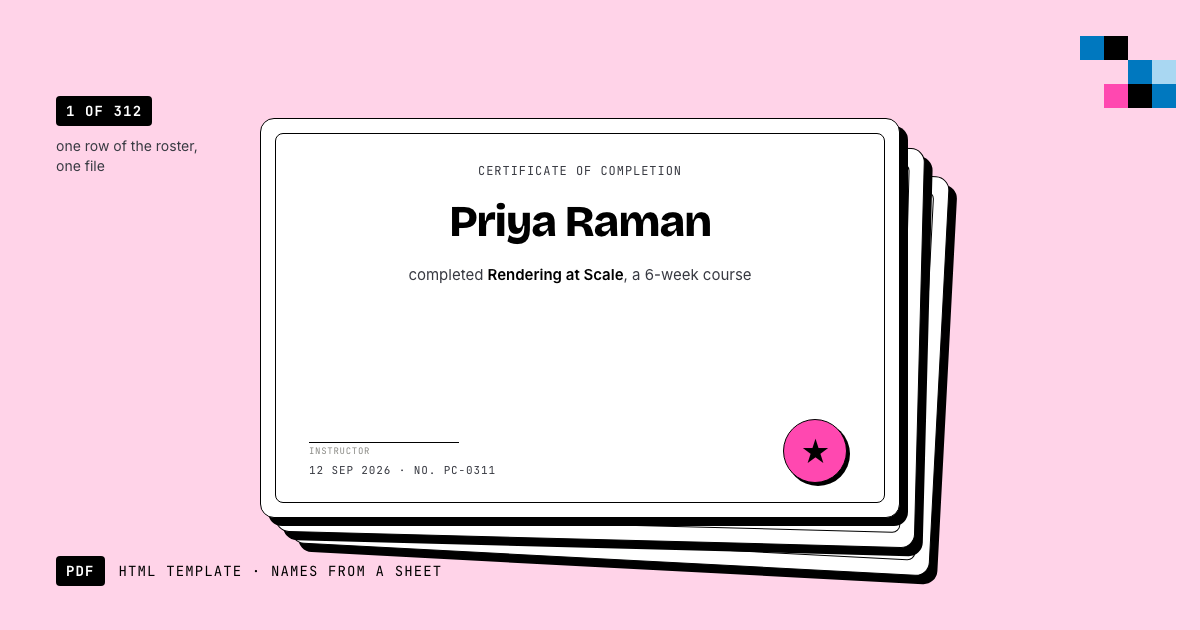
In this post, we’ll show you how to create a certificate image from HTML. This can be useful if you want to generate certificates for a large number of people, or if you want to automate the process of creating certificates for an online course or event.
Prerequisites
Before we get started, you’ll need to have the following tools installed on your computer:
- Node.js
- Pictify API
- An HTML editor or text editor
Step 1: Create an Ejs template
The first step is to create an Ejs template for your certificate. Ejs is a simple templating language that allows you to embed JavaScript code in your HTML files. You can use Ejs to create dynamic certificates that include the recipient’s name, the date of completion, and other personalized information.
Here’s an example of a simple certificate template:
<!DOCTYPE html>
<html lang="en">
<head>
    <meta charset="UTF-8">
    <meta http-equiv="X-UA-Compatible" content="IE=edge">
    <meta name="viewport" content="width=device-width, initial-scale=1.0">
    <title>Certificate</title>
    <style>
        body {
            font-family: Arial, sans-serif;
            text-align: center;
        }
        .certificate {
            width: 800px;
            margin: 0 auto;
            padding: 20px;
            border: 1px solid #ccc;
        }
        .title {
            font-size: 24px;
            font-weight: bold;
            margin-bottom: 20px;
        }
        .recipient {
            font-size: 18px;
            margin-bottom: 10px;
        }
        .date {
            font-size: 16px;
            margin-bottom: 10px;
        }
    </style>
</head>
<body>
    <div class="certificate">
        <div class="title">Certificate of Completion</div>
        <div class="recipient">This certifies that <%- recipient %> has successfully completed the course</div>
        <div class="date">Date: <%- date %></div>
    </div>
</body>
</html>
You can customize this template to include your own text, fonts, colors, and styles.
Step 2: Create a data file
Next, create a data file (e.g., data.json) that contains the recipient’s name and the date of completion. The data could be stored in a database or generated dynamically using a script. For this example, we’ll create a simple JSON file with the following content:
{
    "recipient": "John Doe",
    "date": "January 1, 2022"
}Step 3: Render the EJS template
To render the Ejs template with the data, we’ll use the ejs package. First, install the ejs package by running the following command in your terminal:
npm install ejsNext, create a new JavaScript file (e.g., generateCertificate.js) and add the following code:
const ejs = require('ejs');
const fs = require('fs');

const data = JSON.parse(fs.readFileSync('data.json', 'utf8'));
const template = fs.readFileSync('certificate.ejs', 'utf8');

const html = ejs.render(template, data);
Step 3: Generate the certificate image
To generate the certificate image from the HTML template, we’ll use the Pictify API. Pictify is a simple API that allows you to convert HTML to images.
First, get your API key from the Pictify website{:targe:blank}. Then, install the axios package by running the following command in your terminal:
npm install axiosNext, update the generateCertificate.js file with the following code:
const ejs = require('ejs');
const fs = require('fs');
const axios = require('axios');

const data = JSON.parse(fs.readFileSync('data.json', 'utf8'));
const template = fs.readFileSync('certificate.ejs', 'utf8');

const html = ejs.render(template, data);

const apiKey = 'YOUR_API_KEY';
const url = 'https://api.pictify.io/image';

const response = await axios.post(url, { html }, {
    headers: {
        Authorization: `Bearer ${apiKey}`,
    },
});

console.log(response.data.url);
Replace YOUR_API_KEY with your actual API key.
Finally, run the script by executing the following command in your terminal:
node generateCertificate.jsThe script will generate a URL which will be the certificate image. You can download the image by visiting the URL in your browser. The image for this example will look like this:

Conclusion
In this post, we showed you how to create a certificate image from HTML using the Pictify API. This can be a useful tool for automating the process of generating certificates for online courses, events, or other purposes. If you have any questions or run into any issues, feel free to reach out to the Pictify support team for assistance.
Happy coding!
Ship documents, images and video from one template.
50 renders a month on the free tier. No card, no watermark.
Start free